
A stained card, a notebook coming apart, a recipe nobody ever wrote down. Popotam's family recipes keep Grandma's recipes, free and with no account: you photograph the handwritten card, or record the person telling it, Popotam transcribes it, you check it with the original right there, and it joins your cookbook, with its handwriting, its voice and its story.
Snap a photo, Popotam transcribes it. Free, no account.
- Handwriting, checked with you
- Old measures converted
- Their voice kept on the recipe
Family recipes get lost fast
They sleep in a shoebox, between two pages of a notebook, or nowhere at all: in the hands of the person who makes them “by feel”. Fading ink, a move, and the Sunday tart is gone with them. Copying them by hand takes whole evenings; photographing them isn't enough, because you can't cook a photo: you can't add it to your week, and it doesn't make a grocery list.
Popotam does both: it keeps the original (the photo of the handwriting, the voice) and turns it into a real recipe, checked by you, that you cook like any other.
Digitize a recipe card in five steps
1. Open “A family recipe”
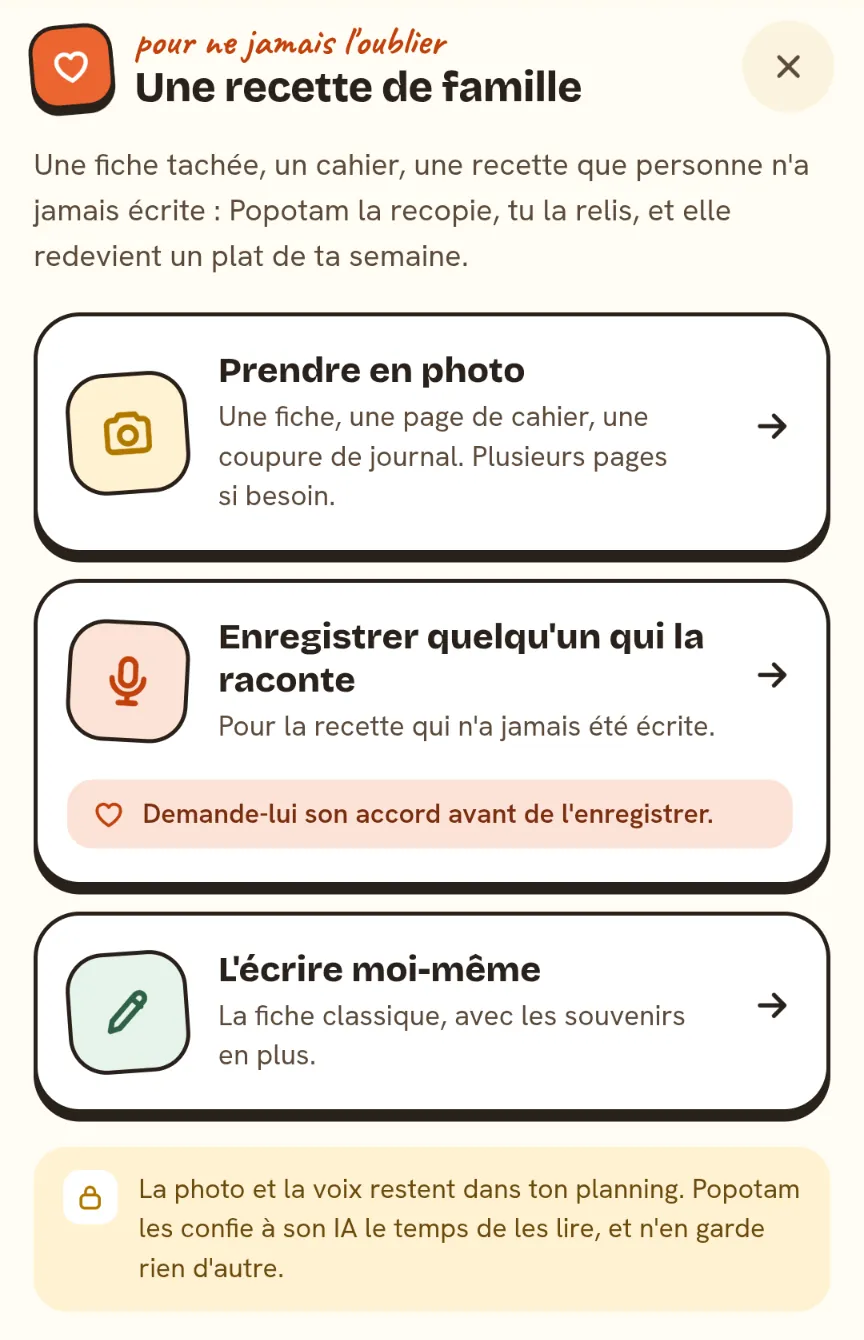
In the app, go to My cookbook and choose “A family recipe”. Three ways in: photograph the card, record someone telling it, or write it yourself, with the memories added.
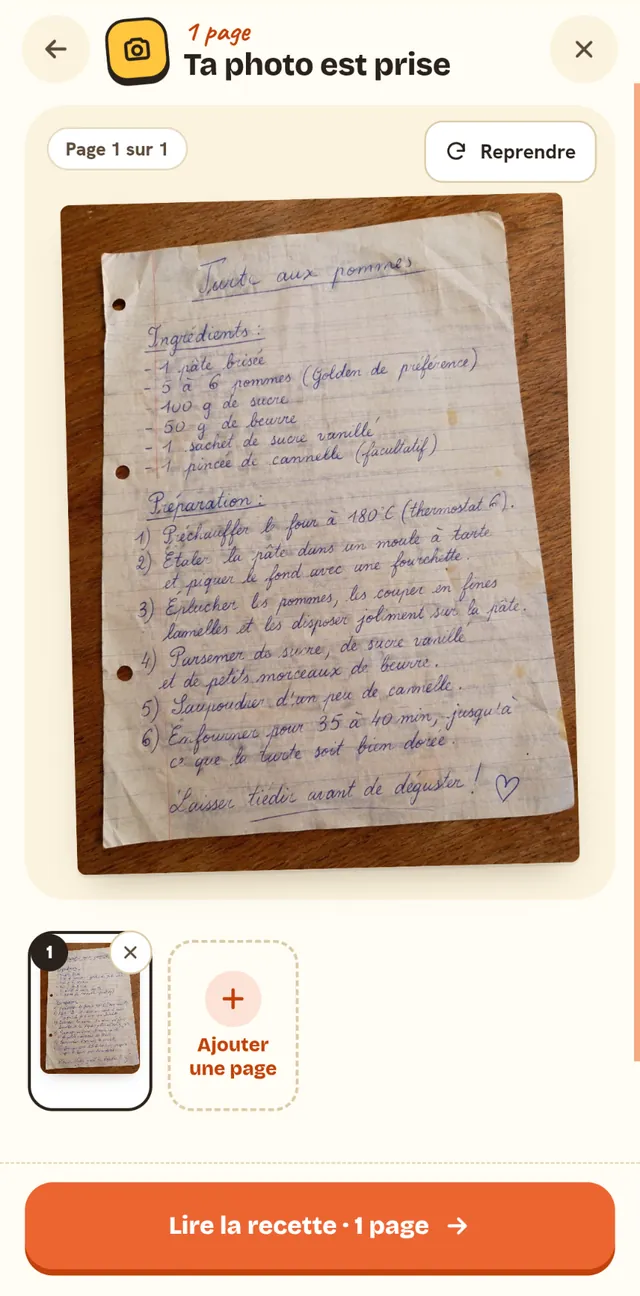
2. Snap a photo of the card
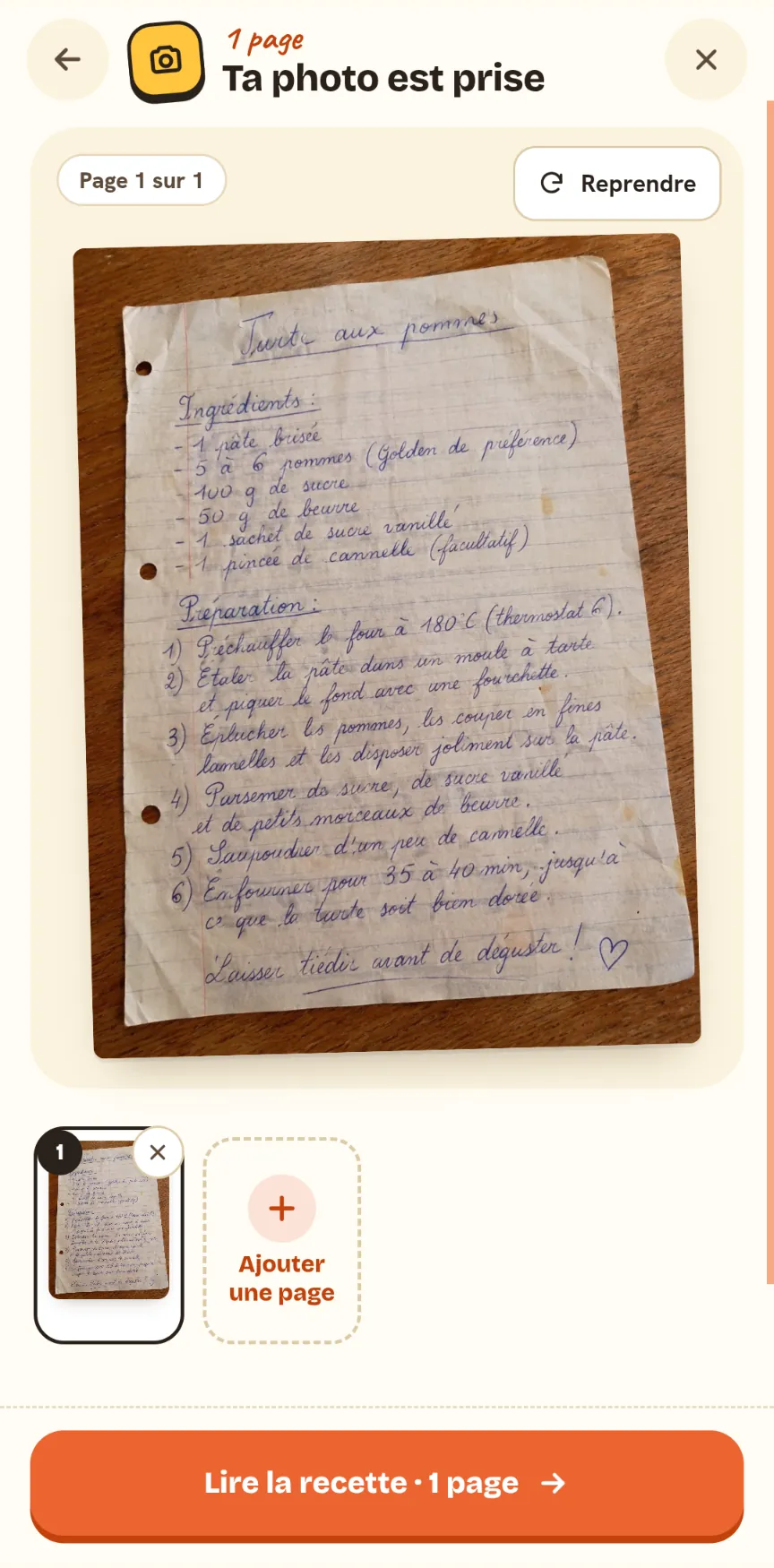
Lay the card flat near a window. You can also pick a photo you already took, or a scan. A recipe across several pages? Add them all, up to four, and put them in order. Popotam checks each photo on your device before sending it: blurry, dark, too bright or too small, it tells you and offers to retake it.
3. Check it against the original
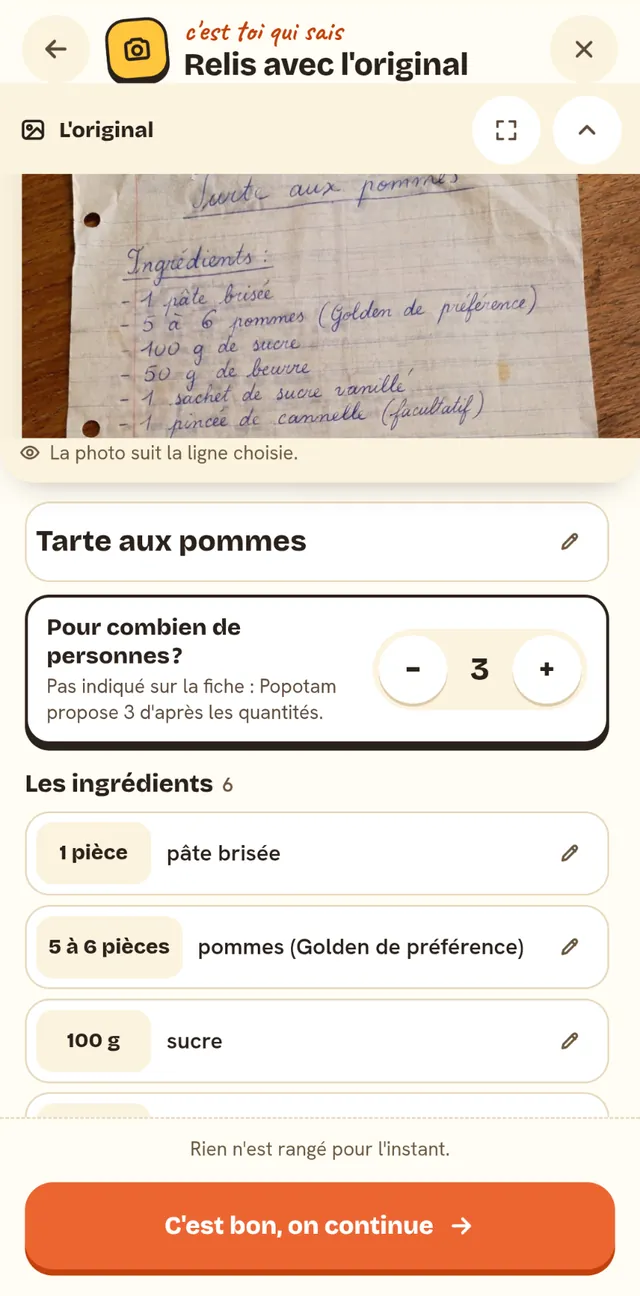
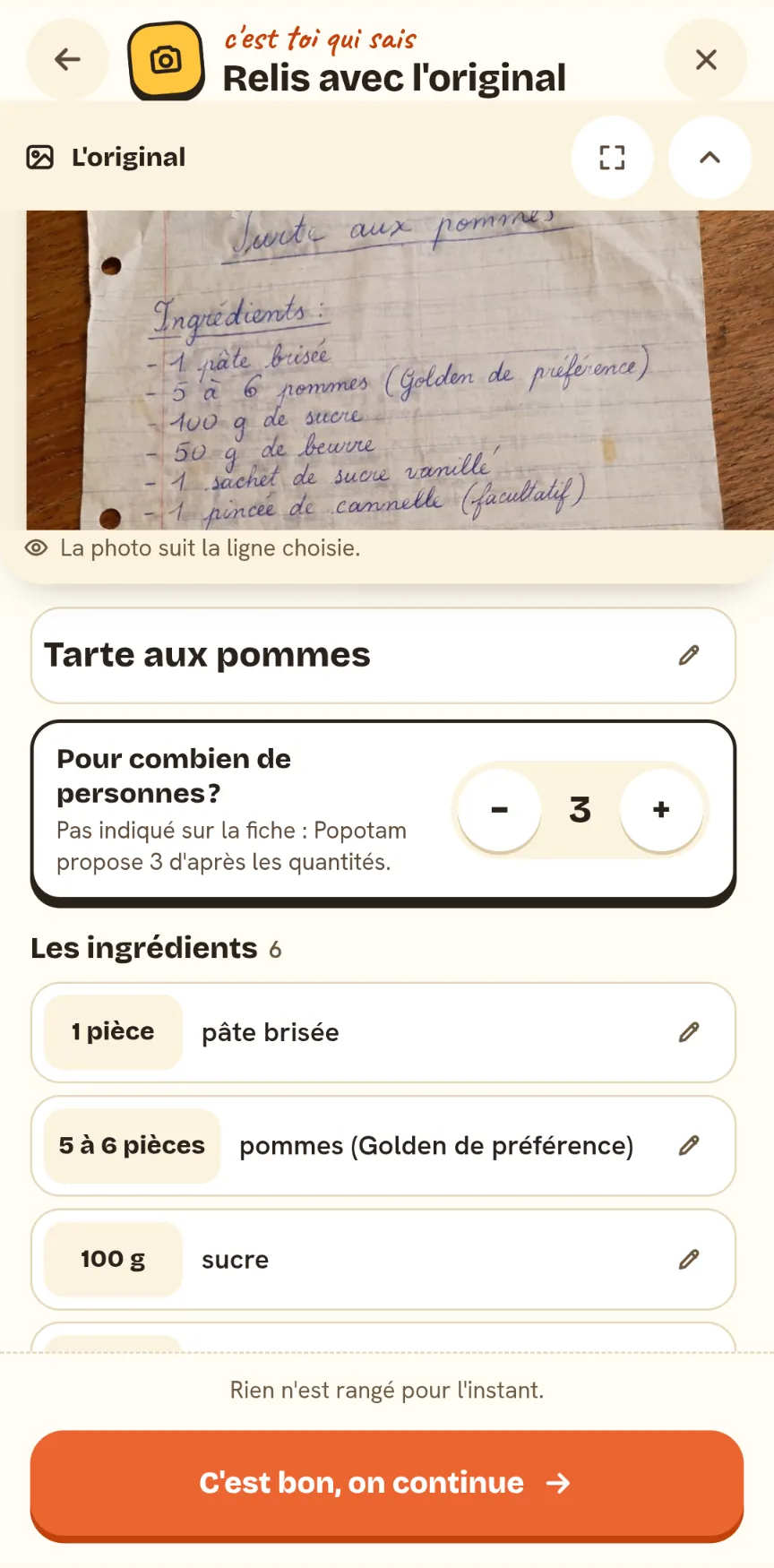
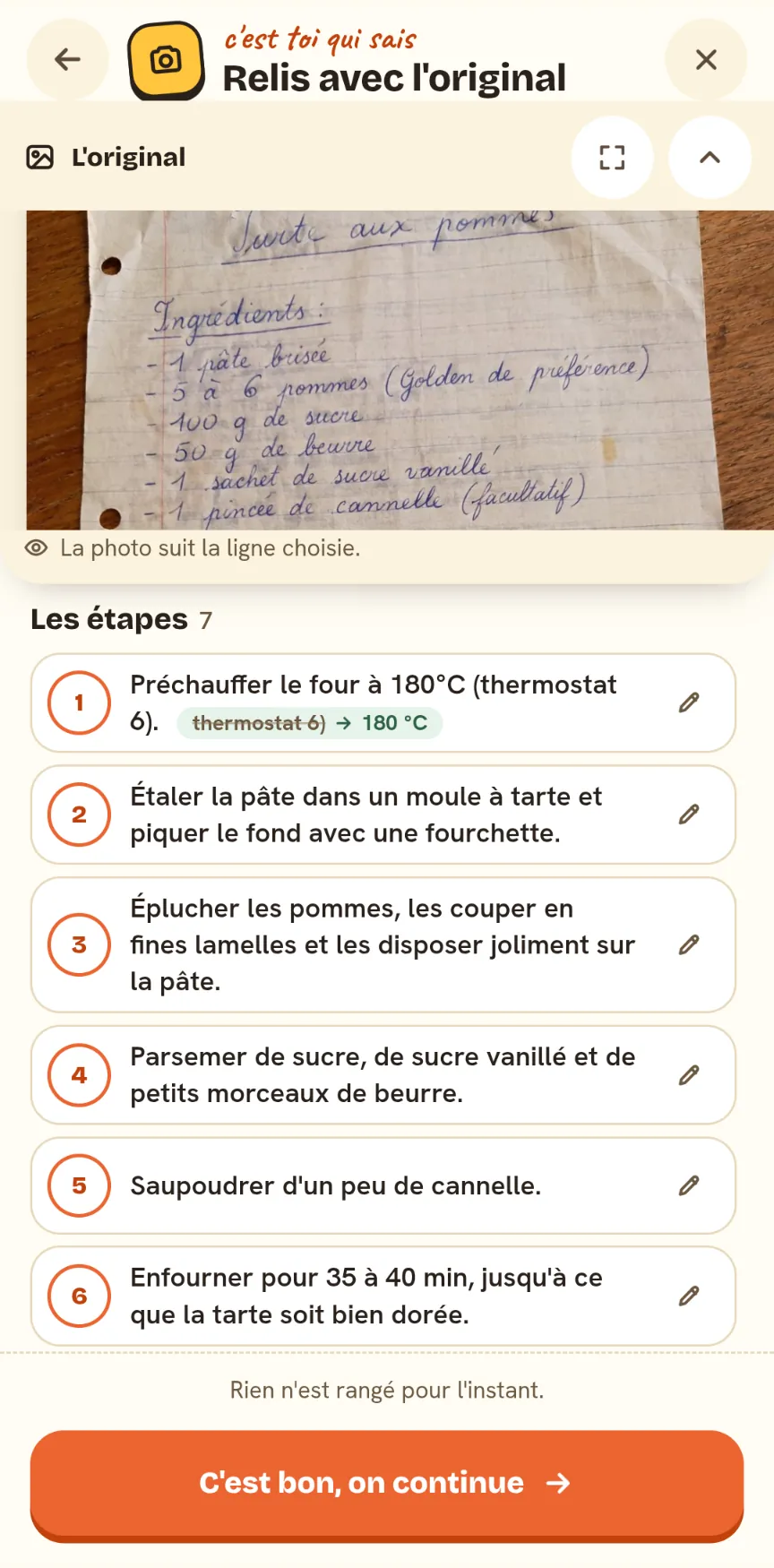
Popotam transcribes the title, the ingredients, the steps and the little notes in the margin. The review screen keeps the photo on top and the text below: pick a line, and the photo shows you where it's written on the card. Fix what needs fixing, remove a line, add one.
4. Add the memory
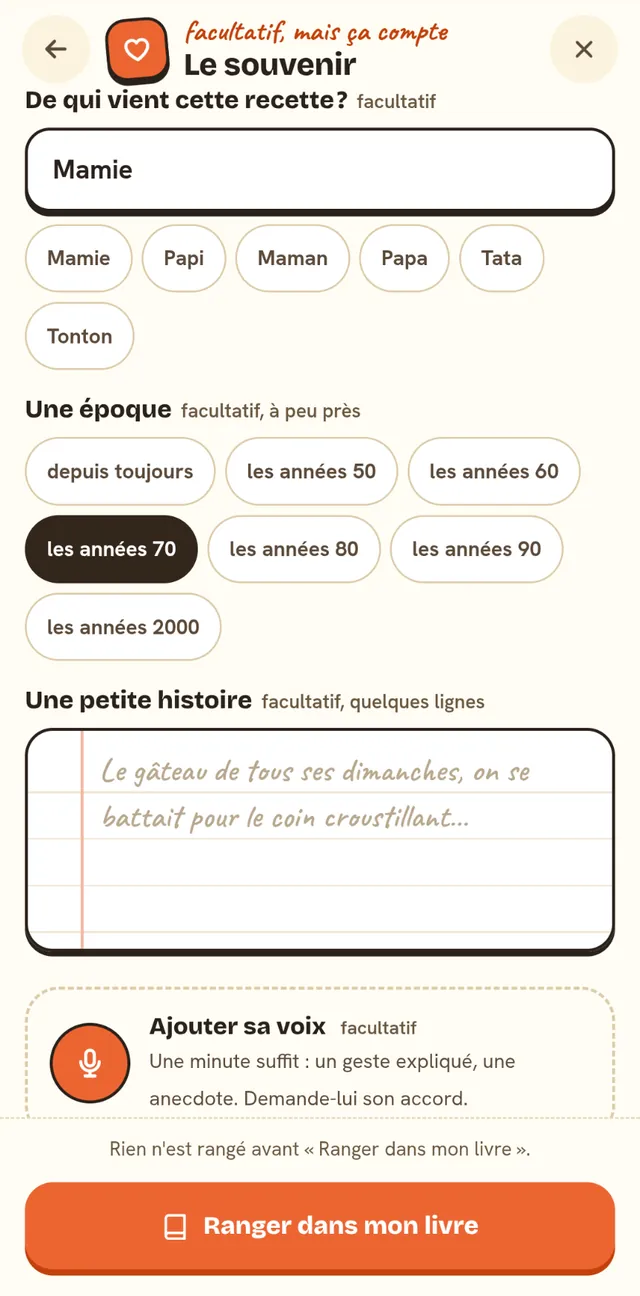
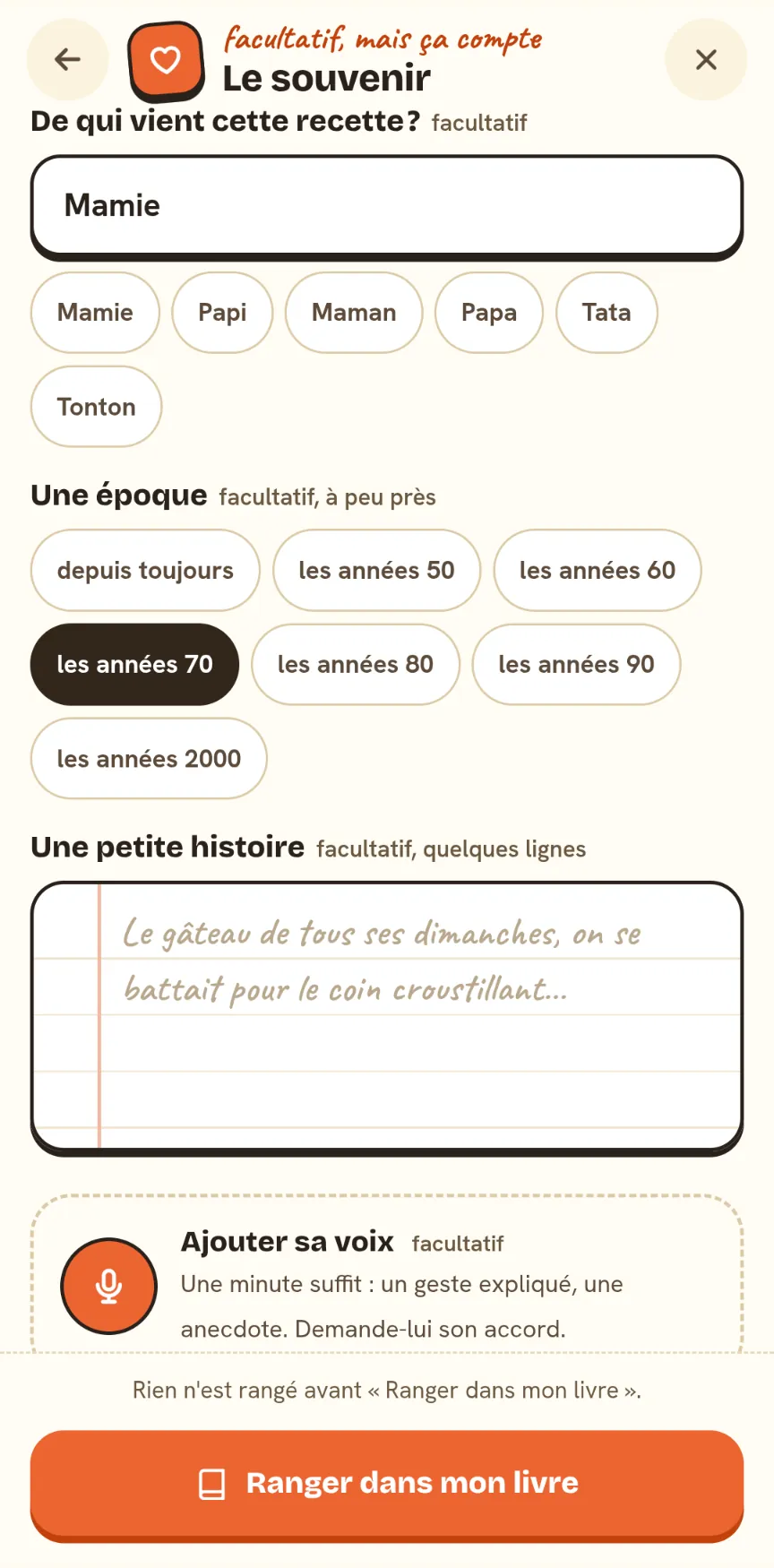
Who the recipe comes from (Grandma, Grandpa, Uncle Marcel…), an era (the '70s, or “as long as anyone remembers”), a little story of a few lines, and their voice if you like. All optional, but it matters.
5. Save it to your cookbook
“Save to my cookbook”: the recipe goes in, with the photo of its handwriting, its voice and its story. Until then, everything stayed on your device as a draft (even if you close the app midway, it waits for you).
Checking it with the original right there
An AI reading handwriting sometimes gets it wrong: a 1 that looks like a 7, “then” read as “ten”. Popotam doesn't ask you to trust it, it shows you where to look:
- Two readings, compared. OpenAI's GPT-6 Luna transcribes the recipe and locates each line on the page; Mistral OCR reads it again, word by word. Where they disagree, the word is highlighted, with the other possible readings: you pick the right one in one go.
- The photo follows the line you pick. No more hunting on the card: the line you're checking shows up on it, and you can zoom in.
- A counter tells you how many words are left to check. You can move on without checking everything: it's your recipe.
- The number of servings, when the card doesn't say: Popotam suggests one based on the amounts, and says so (“Not on the card: Popotam suggests 3 based on the amounts”). That number comes from code, never from an AI guess.
- Old French brands are explained: Floraline, Végétaline, Viandox, a packet of Alsa… with what replaces them today.
Old-fashioned measures, converted
Our grandmothers' recipe cards count in yogurt pots, glasses and oven marks. Popotam converts them, and code does the converting, never the AI: the benchmarks are fixed and the same for everyone. The original measure stays written alongside (“On the card: 1 glass”), and you correct it if you know better.
The benchmarks: a yogurt pot holds 12.5 cl, a glass 25 cl, a mustard glass 20 cl, a knob of butter is 10 g (a small knob 5 g), a French pound (livre) 500 g, a quarteron 125 g, and each oven mark 30 °C. A volume of flour or sugar becomes grams depending on the ingredient; a liquid stays in centiliters. A pinch, a handful or a drizzle stay as they are: they're “by feel” measures, and they work just fine.
The recipe that was never written down
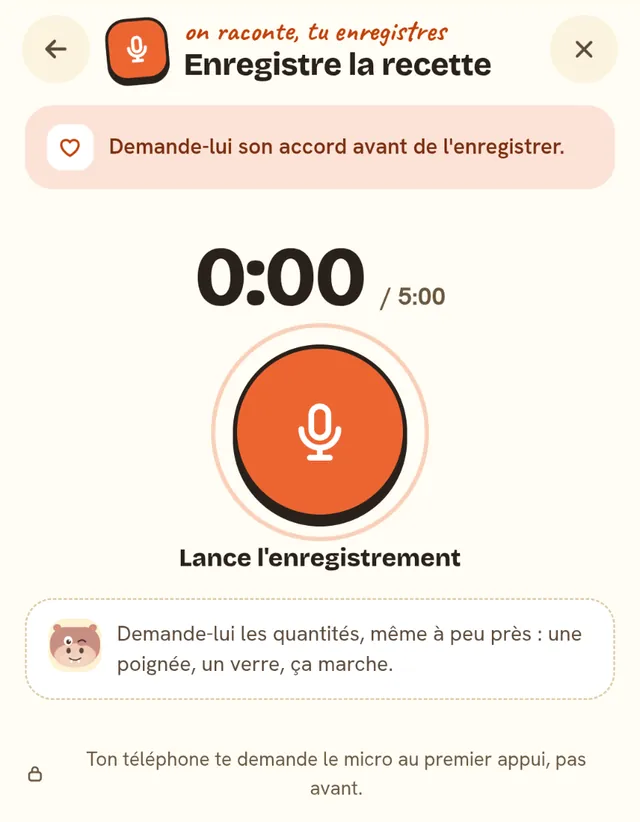
Some recipes only exist in someone's hands and voice. Choose “Record someone telling it” and start recording: up to five minutes. Popotam transcribes what she says, pulls out the title, ingredients and steps, and checks the numbers: an amount that was never said is flagged. When you review, each line lets you replay the part it came from.
Her voice can also go with a recipe you photographed: in “The memory”, “Add her voice”. One minute is enough, for a move explained or a story. Attach it to the whole recipe, or to one specific step: the recipe will then say “Listen to Grandma at step 3”.
In your cookbook, then in your week
- A recipe of its own in My cookbook: “Grandma's recipe” at the top, a thumbnail of her handwriting that opens full size, and her voice to listen to. The “Family” filter finds them all.
- Popotam doesn't make up her steps: when you open the recipe from your week, you get the card's own steps. A spoken recipe with no steps? You write them yourself, replaying her voice.
- In your week: put it on the meal of your choice, its amounts follow your household, and its ingredients go on your grocery list, sorted by aisle.
- It stays yours: a family recipe never goes into Popotam's public catalog.
The cookbook has its own page: My cookbook and recipes.
Ideas for the family
One evening, get the notebook out together: photograph one recipe at a time, and ask her the story behind each while Popotam reads.
His sauce, his crêpe batter made “by feel”: start recording and let him talk. Ask for the amounts, even roughly.
The whole family is together: it's the moment to collect everyone's recipes, with their voices, before cooking them together.
Once saved, the recipe goes into your week: Grandma's gratin is back on the table, with its grocery list.
And for the holidays, our Christmas menus give you full menus with amounts for your whole table.
What stays with you, what goes to the AI
The app says it on the very first screen: “The photo and the voice stay in your planner. Popotam hands them to its AI just long enough to read them, and keeps nothing else.” In detail:
- Before “Save to my cookbook”, the photo, the voice, the text and the memory stay on your device, as a draft.
- For reading, the photo goes to OpenAI (GPT-6 Luna) and Mistral AI (Mistral OCR), the voice to Mistral AI. They receive nothing else: not your address, not your planner, not your tastes. OpenAI may process the photo in the United States.
- Once the recipe is saved, the photo of the handwriting and the voice are stored with Scaleway, in France, encrypted, in a private folder tied to your planner. The memory stays in your planner, like the rest of your cookbook.
- Erase whenever you like: removing the voice or the photo from a recipe, or deleting the recipe, erases them from storage right away. They also go when your planner does.
- Your cookbook is part of your planner: anyone you give its link to sees it too, family recipes included.
The details are in our privacy policy, section 13.
What Popotam doesn't do
- It doesn't read everything on the first try. Very faded ink or a blurry photo keep their secrets: retake the photo with more light, or copy the recipe yourself, with the photo alongside.
- It saves nothing without you. Checking is your job, on purpose: only you know whether Grandma wrote “1” or “7”.
- It doesn't make a printable recipe book for now: your family recipes live in your cookbook, ready to cook.
- The iPhone app doesn't have it yet. On iPhone, open Popotam in Safari: everything works there, photo and voice included.
- It needs a connection to read. The draft, though, waits for you on your device.
Why it's free
Family recipes are part of Popotam, free, with no account and no ads, funded by donations from the people who use it. What Popotam spends, recipe-card readings included, is published on the transparency page, read straight from its accounts.
Frequently asked questions
With Popotam, free and with no account: in My cookbook, choose “A family recipe”, then “Take a photo”. Photograph the card, the notebook page or the newspaper clipping (up to four pages for one recipe). Popotam transcribes the title, ingredients and steps, you check each line with the photo of the original right there, and the recipe goes into your cookbook, with the photo of its handwriting.
Yes. The photo is read by two AIs: OpenAI's GPT-6 Luna transcribes the recipe and locates each line on the page, then Mistral OCR does a second reading, word by word. Popotam compares the two and highlights the words they disagree on, with the other possible readings. You make the call: nothing is saved until you've checked it.
Yes, for the recipe that was never written down: choose “Record someone telling it”, and let Grandma talk for up to five minutes. Popotam writes the title, ingredients and steps from her voice, and flags any number that was never said. When you review, each line lets you replay the part it came from. Ask for her OK before you record.
Before “Save to my cookbook”, everything stays on your device, as a draft. For reading, the photo goes to OpenAI and Mistral AI, the voice to Mistral AI, and they receive nothing else. Once the recipe is saved, the photo and the voice are stored with Scaleway, in France, encrypted, in a private folder tied to your planner. Removing the voice, the photo or the recipe erases them right away.
Yes, and code does the converting, never the AI: the yogurt pot (12.5 cl), the glass (25 cl), the mustard glass (20 cl), the knob of butter (10 g), the French pound or livre (500 g), the quarteron (125 g), the French oven mark (mark 6 = 180 °C) and a low, moderate or hot oven. Volumes become grams depending on the ingredient. The original amount stays displayed alongside, and you correct it if you know better.
Popotam suggests a number based on the recipe's amounts, and tells you so (“Not on the card: Popotam suggests 3 based on the amounts”). You change it in one go. That number is estimated by code, never guessed by the AI. Then, in your weeks, the amounts follow your household.
Yes. Her voice stays on the recipe, for the whole recipe or attached to one specific step (“Listen to Grandma at step 3”). You can also add it to a recipe you photographed: one minute is enough for a move explained or a story. Along with it, the recipe keeps the photo of her handwriting, who the recipe comes from, an era and a little story.
It's free, with no account, no subscription and no ads. Family recipes are part of Popotam like everything else. Popotam is funded by donations from the people who use it, and the details of its spending are public.
Yes, in Safari: open Popotam at popotam.fr, and the photo and voice work there. The Popotam iPhone app doesn't offer family recipes yet. On Android, they're in the Google Play app as well as in the browser, and on a computer, you pick a photo or a scan you've already saved.
Yes. Once saved in My cookbook, you can add it to your week like any recipe: its amounts follow your household, and its ingredients go on your grocery list. It stays private: it never goes into Popotam's public catalog.
Gather the cards, the notebooks and the recipes people tell each other, then add them one by one in Popotam: each keeps its handwriting, the voice of the person telling it, who it comes from and its little story. In My cookbook, the “Family” filter finds them all. Popotam doesn't make a printable book yet: it keeps your family recipes in your cookbook, ready to cook.