Press
Everything you need to talk about Popotam is on this page, free to use, no need to ask permission. If something's missing, just write.
Popotam in three lengths
Three lengths, depending on whether it's a news brief, a sidebar or a feature. Use them as is, no need to credit us as the source.
Popotam is a free French web app that plans the week's meals, or the month's, the grocery list that goes with them, and ideas for cooking what you already have.
Popotam is a free French web app for everyday meals. It builds a lunch and dinner meal plan, for one week or up to four weeks ahead, turns it into a grocery list sorted by aisle, suggests dishes with what's left in the fridge, keeps your recipes in a cookbook and organizes a meal prep session. It works with no account: a meal plan opens with a secret link, which acts as the key and can be shared with the rest of the household. No subscription, no ads, no selling your data, and no partner store: you shop wherever you want, farmers' market included.
Popotam is a free French web app for everyday meals. It builds a lunch and dinner meal plan, for one week or up to four weeks ahead, then turns it into a grocery list sorted by aisle, to check off in the store or send to any other app. The meal plan adapts to how many people are eating, the budget, dietary restrictions, foods to avoid, the time you have on weekdays and weekends, your kitchen equipment and about thirty other preferences.
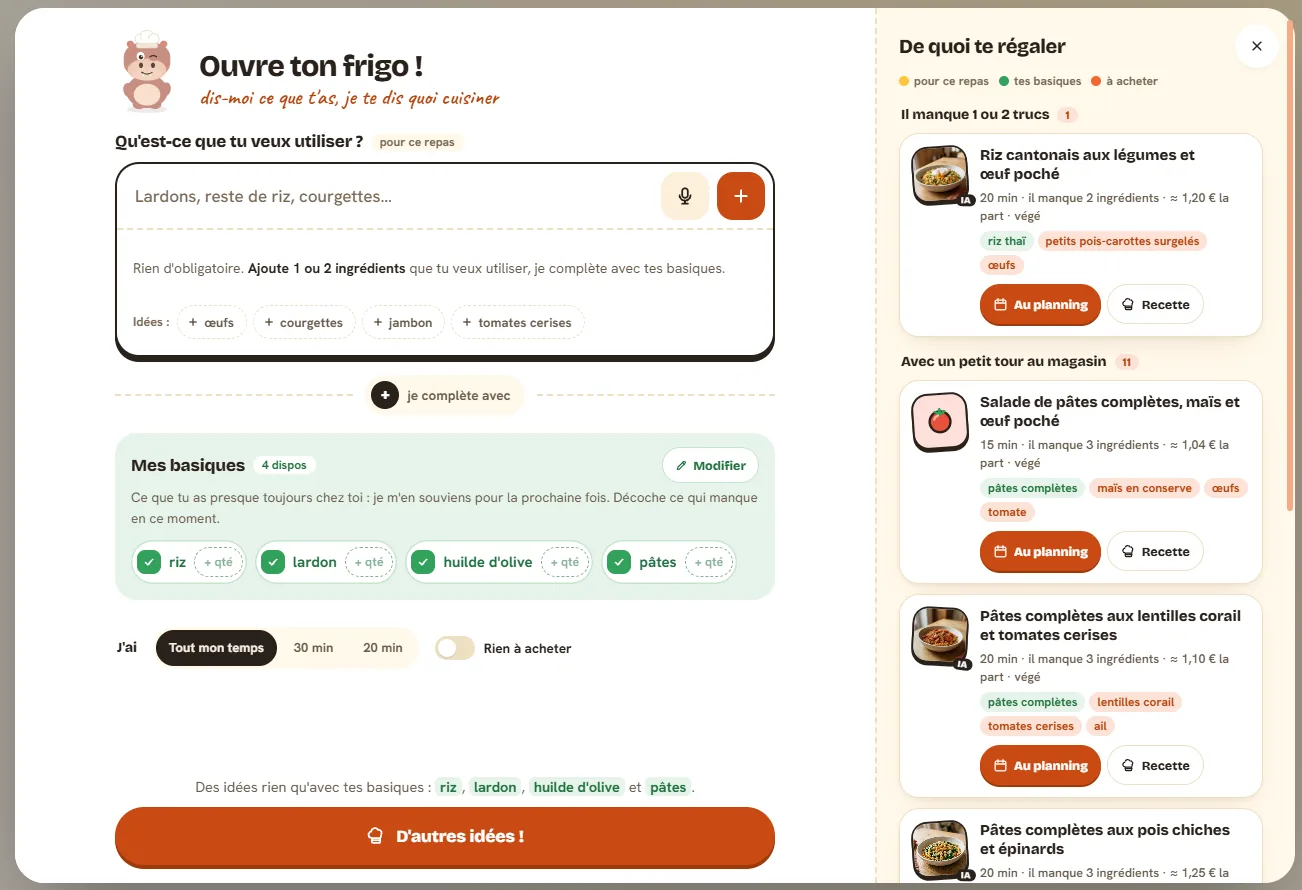
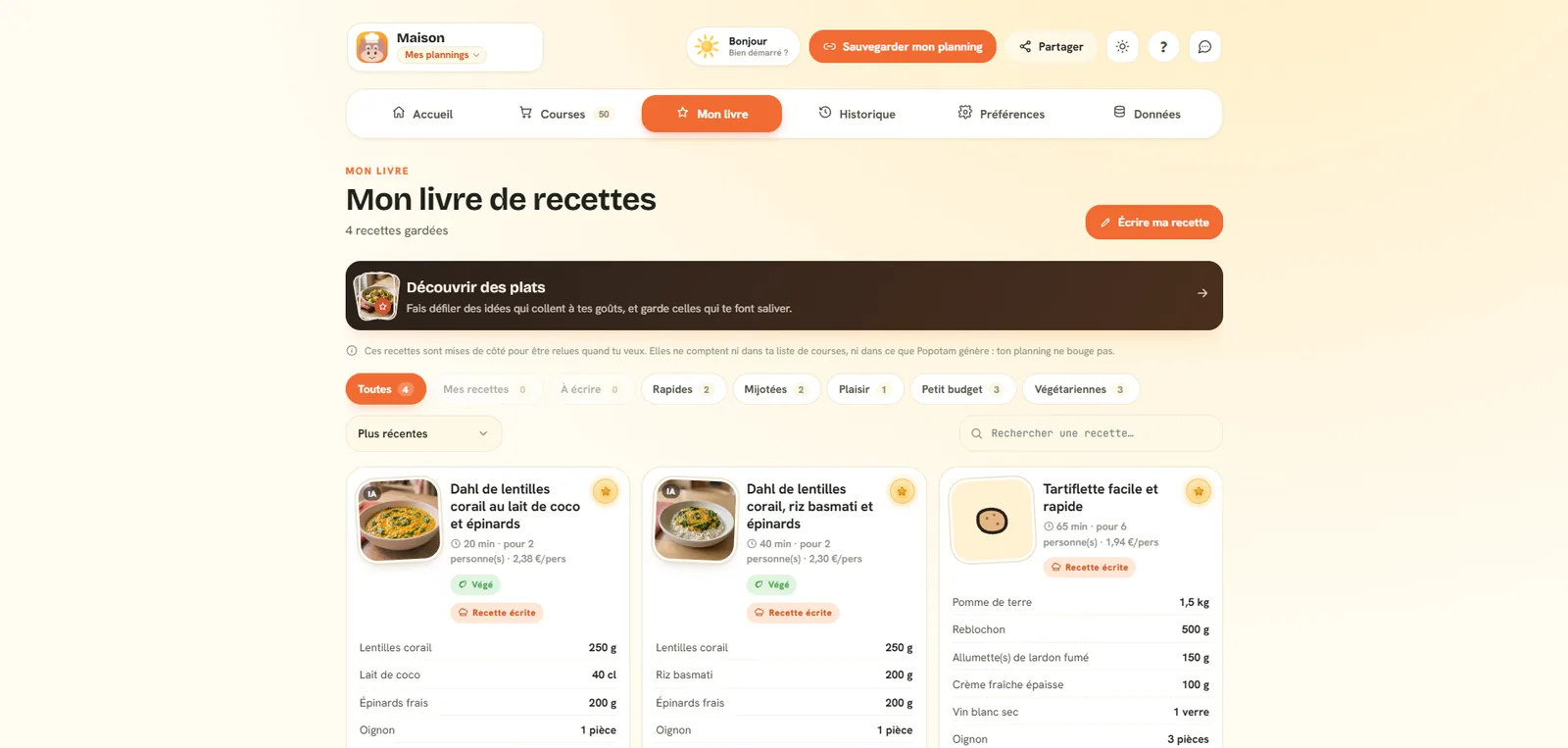
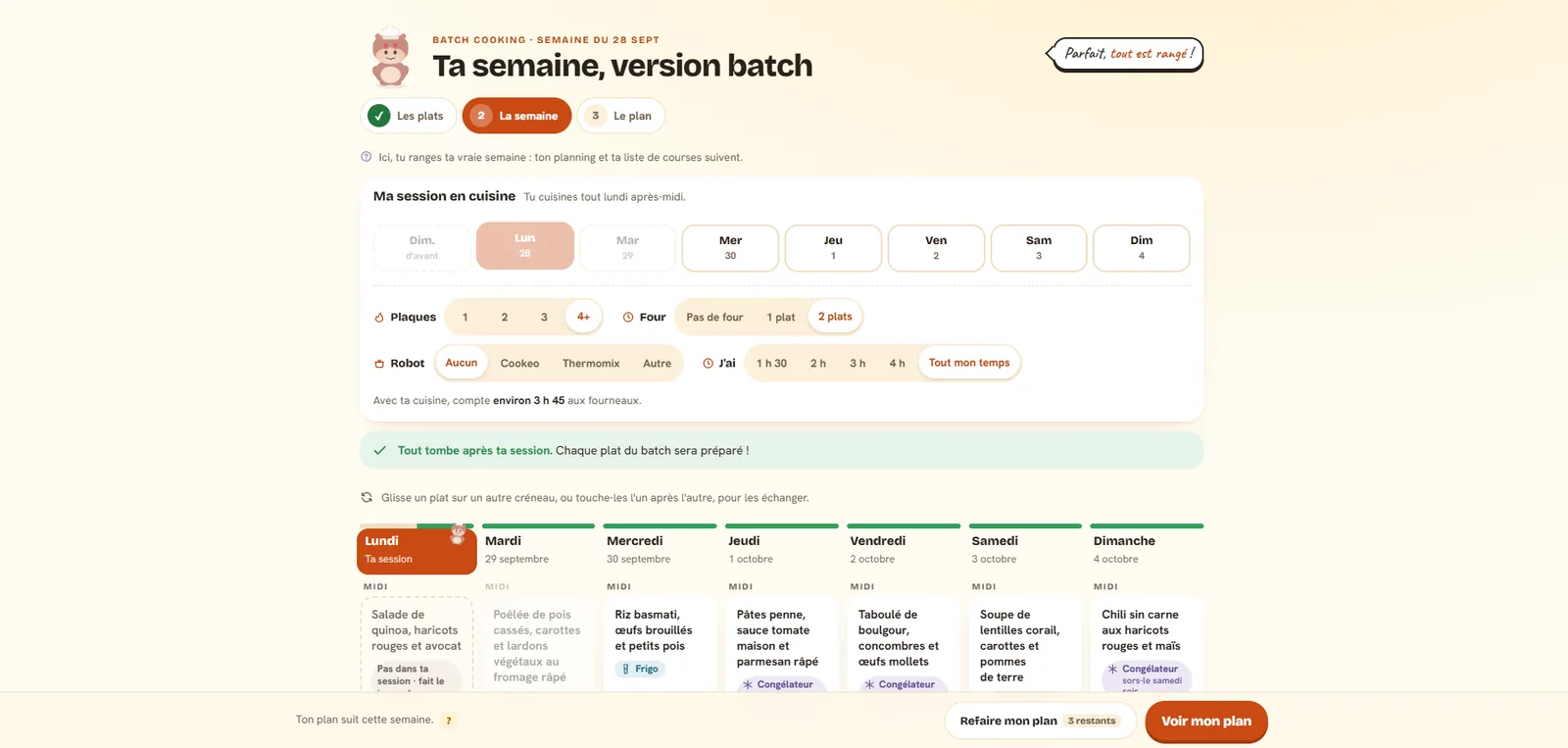
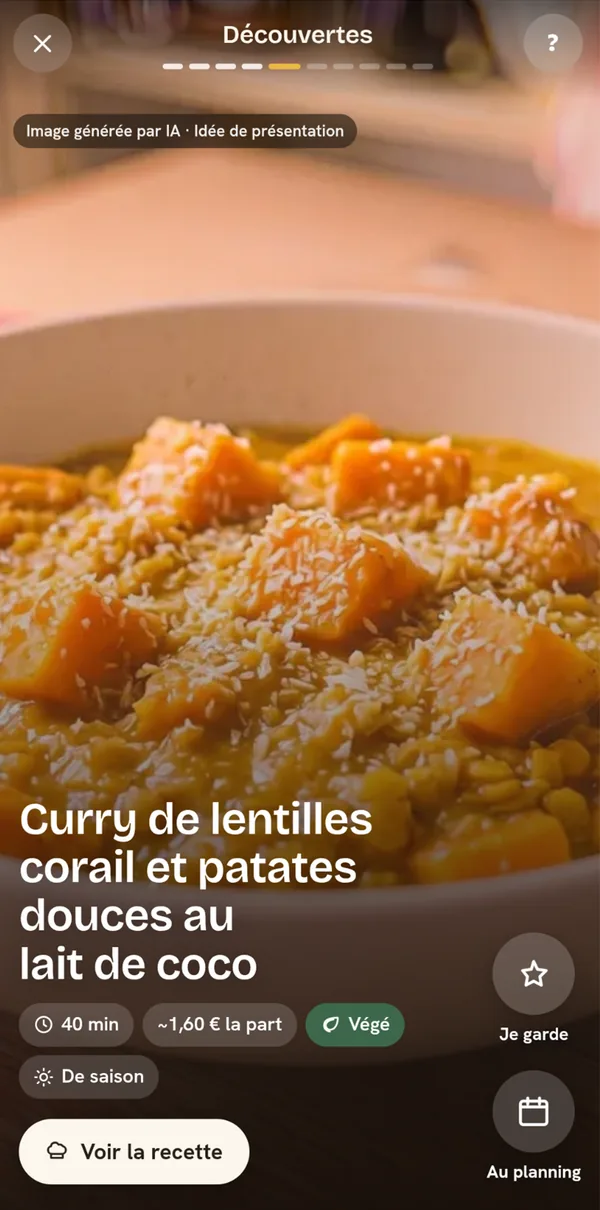
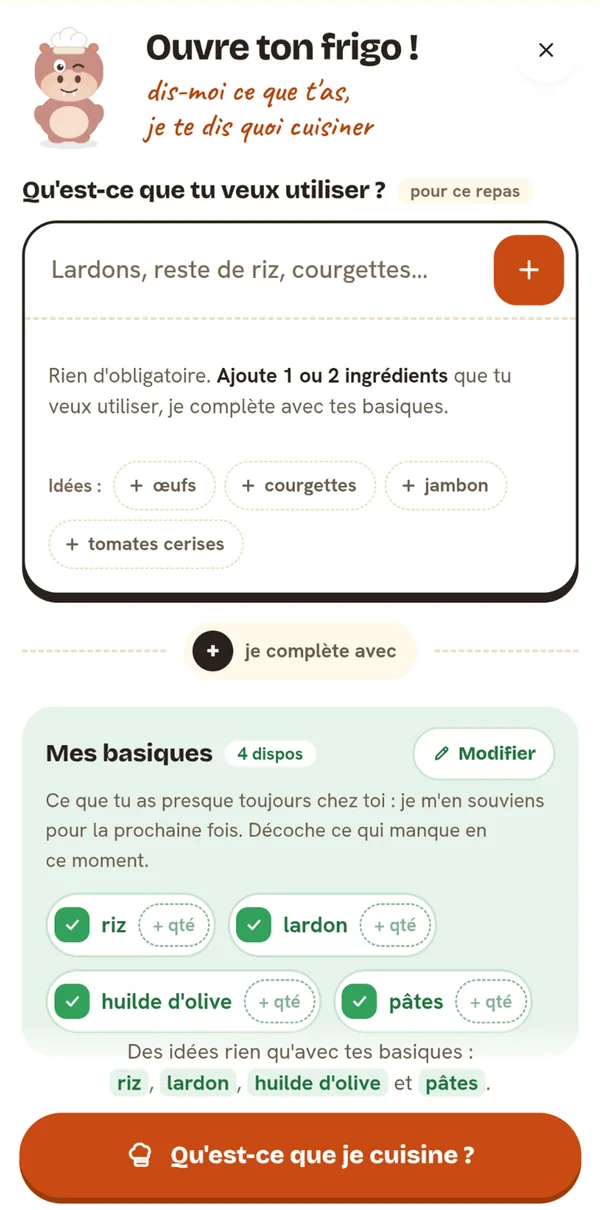
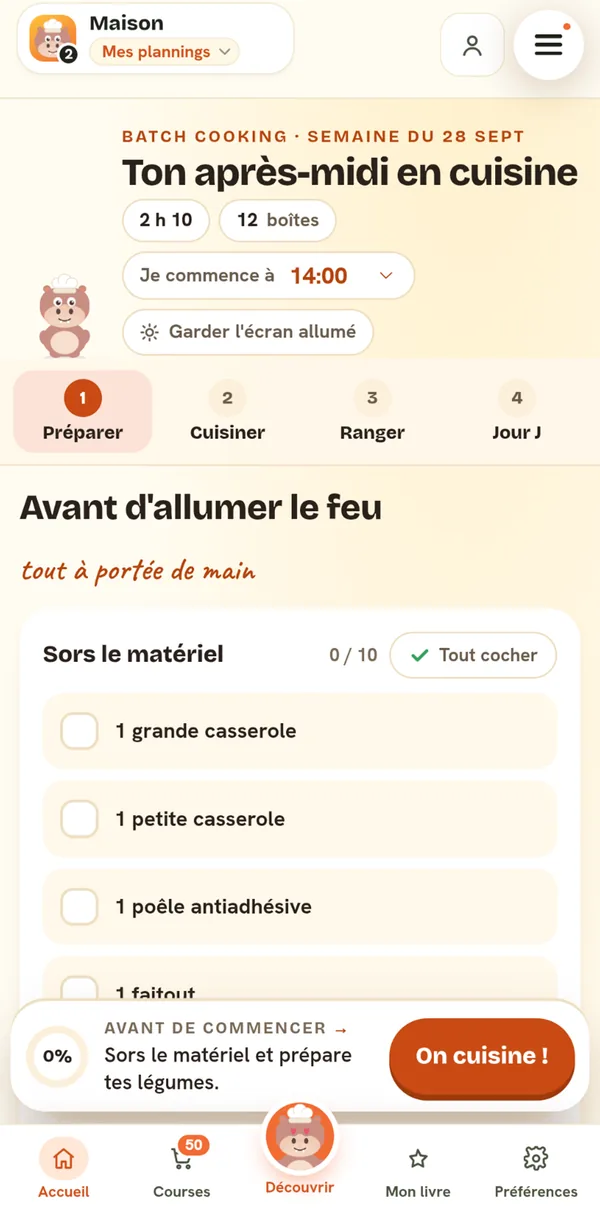
Around the meal plan, Popotam helps you cook day to day. Fridge raid suggests dishes from one or two ingredients you want to use plus your household basics, and tells you what's missing. A discovery feed shows one dish idea per screen, filtered by your tastes. The cookbook keeps the dishes you love and the ones you write yourself. And meal prep mode organizes a cooking session, with a timed run-through and storage info for every container.
Popotam works with no account. A meal plan opens with a secret link, which acts as the key: no sign-up, no password, and the email address is optional. The link is shared with the rest of the household, and everyone manages the meal plan as equals, with no owner and no invite to accept: what one person changes shows up for the others within seconds. The Android app is on Google Play; on iPhone and computer, Popotam installs from the browser.
The weeks you ask for are built by Popotam itself, with OpenAI's GPT-6 Luna (Mistral AI for recipes and everything else), or by the user's own ChatGPT, Claude or Gemini account: in that case, Popotam prepares the instructions and sends nothing to anyone. What the user is promised isn't just requested from the model, it's checked dish by dish before being shown: diets, foods to avoid, prep time against real cooking times, budget and portion size.
Popotam sells nothing: no subscription, no ads, no data resale, no commission on groceries. It's funded by its creator and by optional donations, and both what it costs and what it receives are published on the site. No store chain is a partner, which is the core difference from services that fill a cart at their retailers, and from meal kits that deliver ingredients for a subscription.
Popotam, one word, capital P, no accent. It's a hippo who cooks. The name isn't shortened, and there's no "Popotam.fr" in running text: the service is called Popotam, its address is popotam.fr.
What Popotam stands for
Five design decisions, and what they cost. Each one can be checked in the product or on the site's pages, which is the only honest way to present principles.
Free with no strings attached, so free to recommend anything
Popotam takes no commission on groceries and has no partner store. It's not generosity first and foremost, it's what lets it suggest a dish without caring where you buy it. The list works at the supermarket, the farmers' market or a local producer, and Popotam earns nothing more either way.
What isn't asked for isn't kept
There's no account, so no password to protect, no profile to sell and nothing to hand over in case of a leak. The email address is optional, it's used to find your link again and receive your week, never to log in, and no notification goes out without explicit confirmation.
A dietary promise gets checked, not just requested
A diet labeled "vegetarian", "halal" or "gluten-free" is often medical or religious. Asking a model to respect it isn't enough: a test on eighteen real generations found faulty dishes one time out of two. So Popotam translates each diet into a list of foods, checks every suggested dish, and removes the faulty ones before showing them.
The limits are written down, even when they're awkward
The site's comparison applies the same criteria to every tool, Popotam included, with the date of the last check and the source for every price. Popotam is never presented there as the best, because no tool is the best for everyone. A comparison that concedes nothing convinces nobody.
One person, and it shows in the choices
Popotam is written and maintained by one person, with no team and no investors. That explains what's missing as much as what's there: no delivery, no customer service, and an app on Google Play but not yet on the App Store. In return, there's nobody to make a profit for, so no reason to add ads or a subscription.
The numbers, and how they're counted
Measured October 8, 2026, straight from the database. The site has been getting visits since June 11, 2026, and the oldest meal plans still saved date from August 27, 2026. Each line below says what it counts, and the queries that produce them are in the repository, under scripts/mesure-presse.sh.
Spaces in the database on the day of measurement; the oldest date from August 27, 2026. A space is one household and is shared between several people: there's no account to count.
Total meals in the saved meal plans, all weeks combined, lunch and dinner.
Spaces someone opened during the seven days before the measurement. We count the last human visit, not the last write: Sunday's automatic generation also updates meal plans nobody has looked at, and counting those would inflate the number by a quarter.
Distinct sessions measured by Umami, Popotam's self-hosted analytics tool, with no cookies or ad IDs. The count only keeps the popotam.fr domain: the instance also serves another site. It's the last full week before the measurement.
Popotam has no accounts, so there are no "registered users" to announce. A meal plan is shared between the people in a household with nothing to tell them apart, and nobody here is trying to count them. Writing "2,317 users" would be wrong both ways: several people can share a meal plan, and the same person can open two.
What Popotam does, and doesn't do
The full list of what actually exists in the app, as of October 8, 2026. It's kept up to date in step with the product.
- Weekly meal plan, lunch and dinner
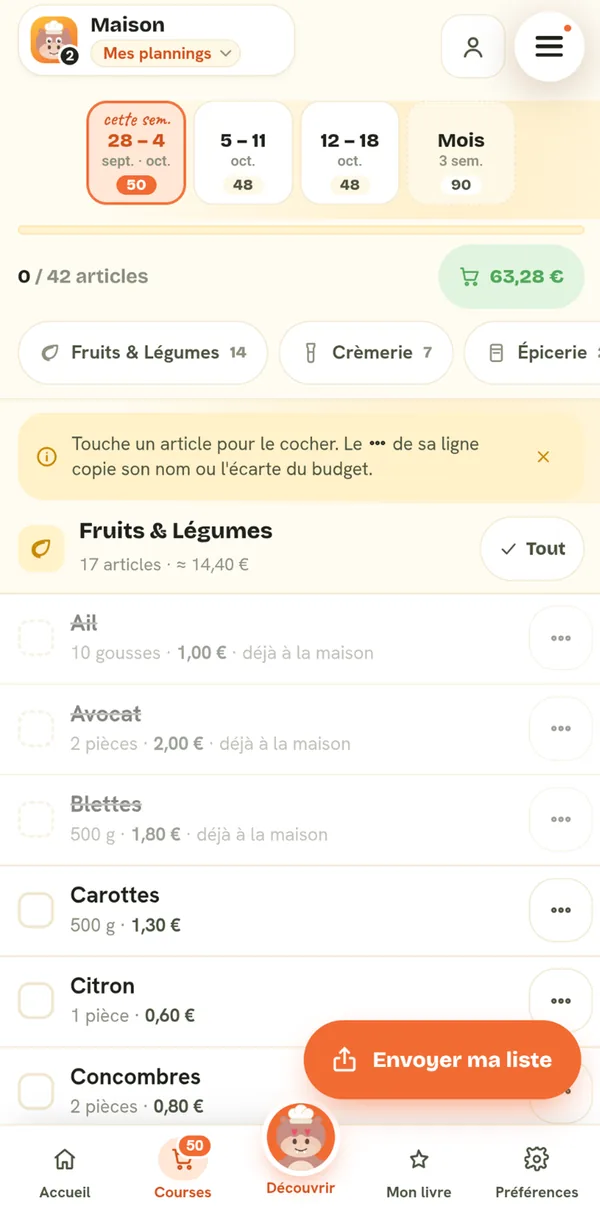
- Grocery list sorted by aisle
- One-click menu generation, no account or API key needed
- Browse freely while your week is being made: it cooks on the meal plan, and a banner follows you everywhere else
- "My AI" mode: the prompt copies into ChatGPT, Gemini or Claude
- Swap a dish on demand
- A craving written in your own words for a swap, which can even allow an excluded food
- Swap for a version of the same dish: veggie, lighter, higher-protein, quicker or cheaper, with the numbers to prove it on every idea
- Diets, excluded foods and max cooking time double-checked in every suggested dish, before you see it
- Regenerate the whole week
- Clear a week or fully reset, knowing exactly what's kept
- Start how you like: the rest of the current week, or the full week from Monday
- Automatic generation of next week, ready by Monday
- Monthly automatic generation: each week that goes by brings a new one at the end
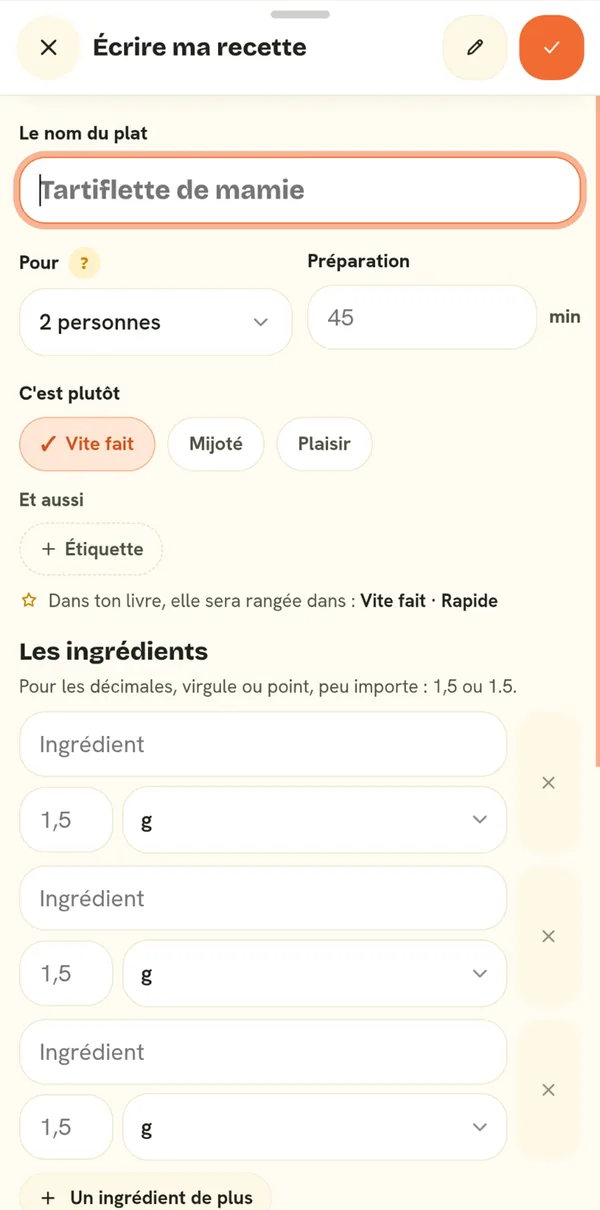
- Next week adjustable ahead of time: change a dish, cancel it, write its recipe
- Monthly planning, four weeks ahead, for a single grocery run
- Switch from one week to another, in the meal plan and in the grocery list
- "Whole month" grocery list: the weeks combined into a single list, with shared items listed only once
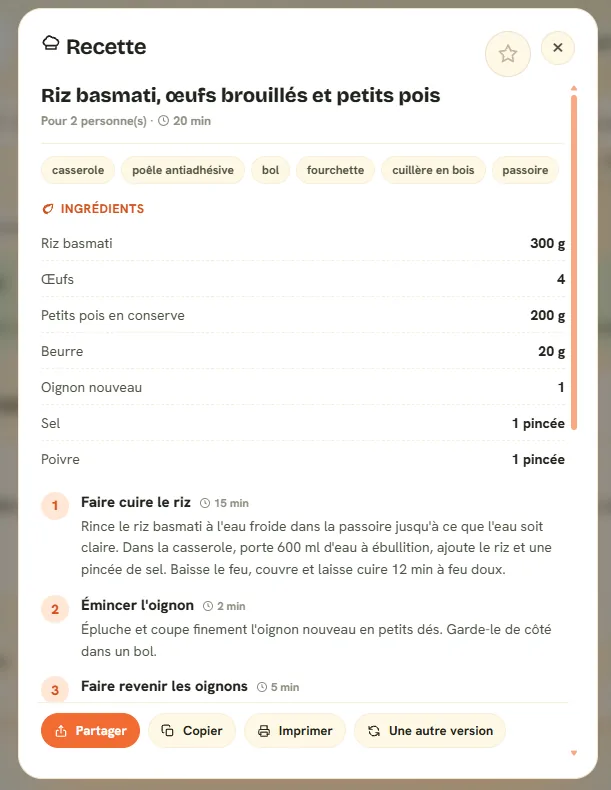
- Step-by-step recipe written on demand: measured ingredients, equipment, steps, tips
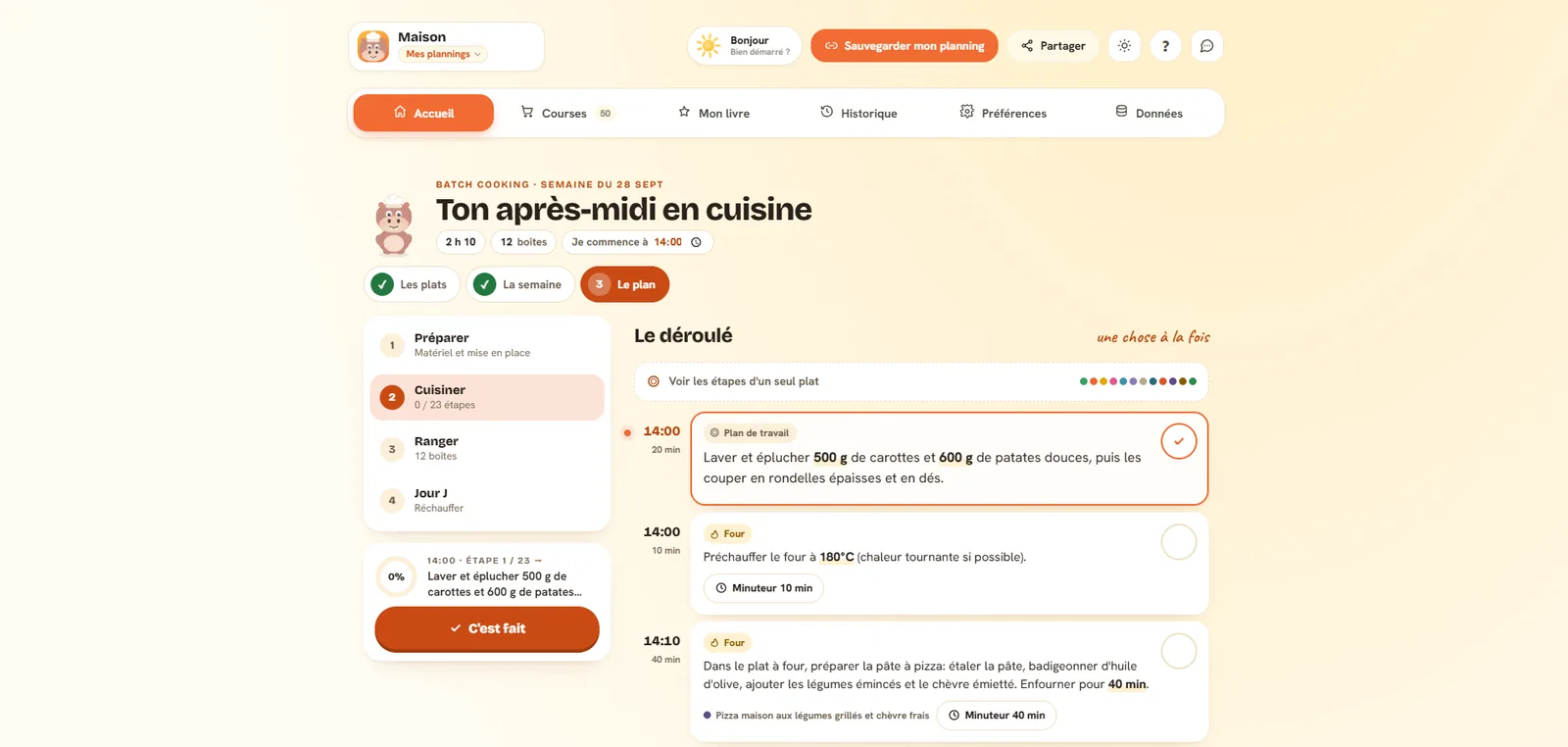
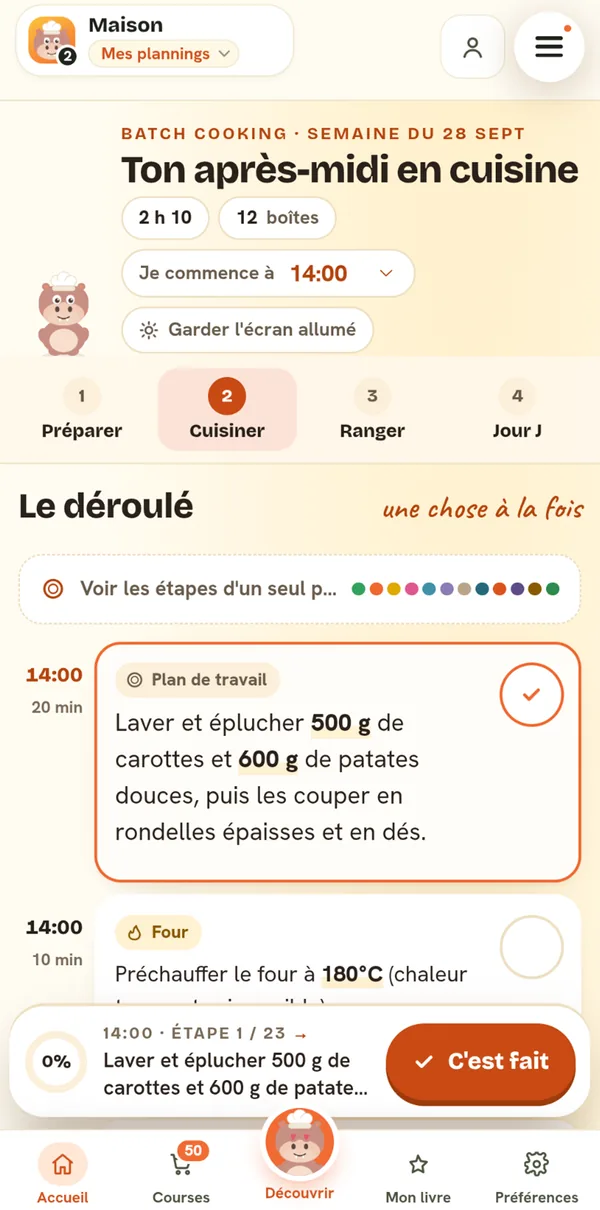
- Cooking mode: one step at a time, ingredients to check off, timers that ring even with the recipe closed
- Calories, protein, carbs and fat for every dish, calculated from the ANSES Ciqual table
- Daily calorie totals and the week's average, lunch and dinner, with a day-by-day chart
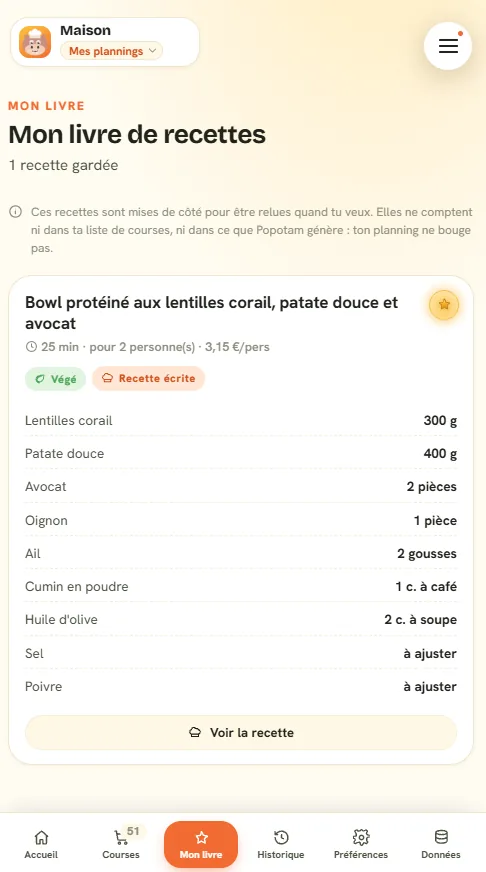
- Personal cookbook, kept from one week to the next
- Share a recipe as a square card in Popotam colors, ready to post
- Cookbook filters: to write, quick, budget, vegetarian, and search
- Cookbook sorting: newest, quickest, cheapest, or alphabetical
- A saved recipe's ingredients go onto the grocery list without touching the meal plan
- A saved recipe can go back on any slot you choose, and the groceries follow
- Your own recipes, written in the cookbook: ingredients, quantities, steps, and the estimated price worked out automatically
- Import a recipe from its link (Marmiton, 750g, Mealime, a blog…): quantities converted to grams and milliliters, translated into French if needed, and the recipe card in your cookbook
- One-click import of your Mealime account from a computer: recipes, diet, allergies and disliked foods land in Popotam before the service shuts down
- Import your Mealime PDFs (recipe or plan) from your phone: the text is read without AI, and a plan's titles are matched to public pages
- "Send my list" grocery list: share to Google Keep, WhatsApp or your notes, one line per item
- Items to check off while you shop, week by week
- "I already have it": what you've got at home drops off the list and the budget
- Cancel a meal: it drops off the groceries and the budget
- History of dishes you've made, to avoid repeats
- Estimated budget, ingredient by ingredient, based on average in-store prices (Open Prices), clearly labeled as an estimate
- Settings prefilled when you arrive from a sample menu on the site
- Cart optimization of your choice: maximum, moderate or none
- Adjustable number of people, from a solo meal to a full table
- Dietary restrictions and preferences taken into account
- Foods you don't like, strictly excluded from generated menus
- Choose which meals to plan, slot by slot (weekday lunches can be unchecked)
- Fine-tuning filters: favorite cuisines, spice level, adventurousness, foods to favor
- Max cooking time, quick dinners, skill level and available equipment
- Nutrition goal of your choice: balanced, high-protein, light or comfort food
- Fine-tuned anti-waste: seasonal produce, meal prep, pantry items to use up
- Homegrown food (hens, veggie garden, orchard) set from the home screen: your produce gets priority in menus and comes off the grocery list and the budget
- Adjustable number of treat meals, adjustable anti-repeat memory
- Grocery reminder in your calendar: Google Calendar, Outlook or .ics
- Optional email reminder, no newsletter or marketing
- Optional notification on your phone when the prepared week is ready, or when the one you asked for arrives after you've left the app
- Add to home screen: an icon, no browser bar, and offline access
- Unlink a device without deleting anything online: the link still opens the meal plan elsewhere
- Several meal plans on one device, named and switchable in a tap
- Start a blank meal plan without leaving the others: they stay in the device's list
- On phones, secondary options fit in a single button: the meal plan's name gets its space back
- Phone-first interface: a strip of days, one visible action per item, the rest in a bottom sheet
- Jump straight to the aisle you're in, with aisle headers that stay on screen while you shop
- Join a meal plan by scanning its QR code, without leaving the app
- One email address can recover all its meal plans, up to five
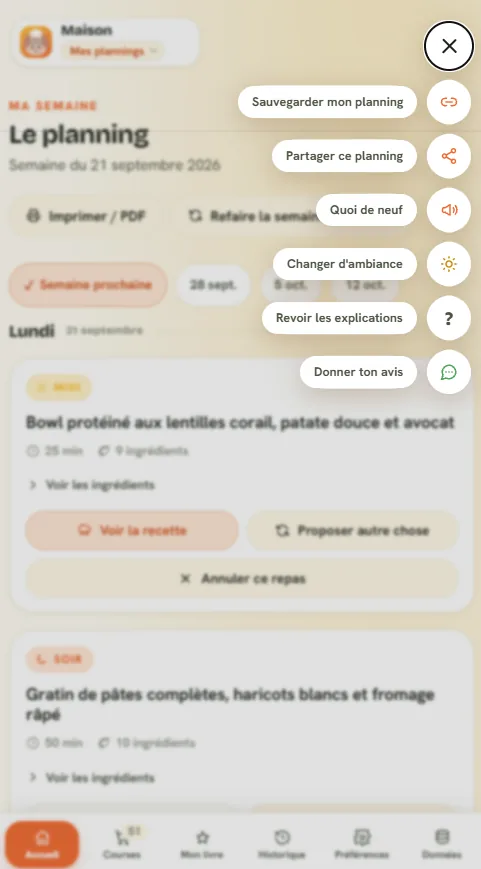
- Share a meal plan with others: the link can be sent, copied or scanned, and everyone manages it from their own phone, with no limit on people
- Live meal plan for everyone: what one person changes shows up for the others within seconds, and two changes made at the same time are both kept
- Sync between devices through a private link, no account
- Pick up your meal plan on a new device: paste the link, or get it resent by email
- Installable on phone and computer, like an app
- Meal plan, grocery list and recipes available offline
- Meal prep mode: choose dishes to make ahead, spread them over the week, and get a timed plan for a cooking session with storage times for every container, adapted to your kitchen (burners, oven, a multicooker like a Cookeo or a Thermomix)
- Reminder the day before to soak tomorrow's dried legumes (chickpeas, beans)
- Print a recipe: ingredients to check off, numbered steps, on one page
- Printable document built on demand: choose weeks, recipes, grocery list, with a live preview
- Download the document as a PDF, named after the meal plan and its week
- Export and import your data in a file
- Turn off online backup in one click, your data stays on the device
- Discovery feed: one recipe per screen, filtered by your diets and tastes, to save in your cookbook or drop on your meal plan, with a break every ten recipes
- Fridge raid: say what you've got on hand, Popotam suggests dishes that use it and tells you what's missing
- Ready-to-follow meal prep plans on the site, added to your week in a tap
- Add a dish from a recipe page on the site to your meal plan: pick the day, and the week builds around it
- "Edit my week" page: swap two meals, move a dish to another day or from lunch to dinner, ask for another idea, remove or add a dish, then confirm everything at once
- A meal idea for tonight or tomorrow, no account: ingredients and quantities for your table, price per serving, vegetarian, 20-minute and budget filters, a grocery list to copy
- Works with every store, no partner retailer or commission
- No account, no ads, no tracking cookies
- Free Android app on Google Play, with the same meal plan as on the site
- Popotam in English, in the app and on the site, with US or metric units, your pick on each device
What Popotam doesn't do
These limits are real and written in the same place as those of the other tools in the comparison. Knowing them saves you from describing a product that doesn't exist.
- No ingredient delivery: it's a planner, not a grocery service.
- You can't order your groceries from Popotam, no store chain is a partner.
- The prices shown are estimates, based on average in-store prices (Open Prices), not the actual prices of a given store.
- No iPhone app: on iOS, Popotam runs in the browser and can be added to your home screen (the Android app is on Google Play).
- With no account, access depends on a secret link: lose it without having left an email address, and you lose your meal plan.
What people often ask us
Yes, every Monday: the menu barometer (popotam.fr/en/barometre) measures what thousands of households plan with Popotam. Target budget per person, estimated cost of a meal, time in the kitchen, calories and protein per serving, share of vegetarian meals, most common dishes and ingredients.
These are totals, with their method and limits spelled out on the page: the households measured are the ones using Popotam, not the whole of France, and the budget is a target budget, not spending. The numbers are free to reuse, with credit to the source.
Just one. Popotam is designed, built and maintained by Jérémy Pierre, in Clermont-Ferrand. No team, no employees, no fundraising.
By its creator, and by optional donations from the people who use it. Popotam costs what a server and calls to the AI model cost. Donating doesn't unlock any feature, and the Transparency page publishes expenses as well as donations received, read at the source rather than copied.
It's a deliberate choice rather than a phase: being free with no strings attached is what lets it have no partner store, and so no interest in steering anyone's grocery shopping.
Because sign-up is the first place people give up, and because an account means keeping data Popotam doesn't need. A meal plan opens with a secret link, which works as the key.
The trade-off is real and it's written on the site: lose that link without having left an email address, and you lose your meal plan.
Yes, to build the weeks people ask for (OpenAI's GPT-6 Luna, currently the model that follows constraints best) and to write recipes (Mistral AI, a French company), and to illustrate dishes, with images always labeled as AI-generated. You can also ask it to prepare the instructions to paste into your own ChatGPT, Claude or Gemini: in that mode, Popotam sends nothing to anyone.
Plenty happens without it: the first meal plan, Fridge raid and the discovery feed draw from a catalog of dishes already cooked, and the checks (diets, foods to avoid, time, budget) are reviewed code, not a model. Fridge raid only calls the AI when nothing in the catalog matches. Prices are adjusted every week to average in-store prices (Open Prices): the AI only reviews suspicious gaps, and a person checks.
What goes to the model: the number of people, the budget, restrictions, cooking preferences and the dishes not to repeat. Never an email address, never a meal plan's ID, never anything that could identify someone.
In France, at Scaleway, which also hosts the emails. Each device keeps a copy of the meal plan so it stays available offline, and the server keeps the one that links the household's devices together. There are no tracking cookies and no third-party analytics: audience stats go through Umami, self-hosted on the same server.
On Android, yes: the Popotam app has been on Google Play since October 2, 2026, free, with the same meal plan as on the site. On iPhone and computer, Popotam installs from the browser and then opens like an app, offline included. It's not on the App Store.
Freedom to shop anywhere. Most services like this make their money by filling a cart at a partner store, or by delivering ingredients for a subscription. Popotam produces a grocery list sorted by aisle and stops there, which makes it usable at the supermarket, the farmers' market or a local producer.
The site publishes a comparison where the same criteria are applied to every tool, Popotam included, with each one's limits and the date of the last check. Popotam is never presented there as the best.
The logo, the mascot and the screenshots
The logo and mascot have transparent backgrounds. They aren't hand-drawn: they're rendered from the site itself, so they're exactly what people using Popotam see. The screenshots are taken in the app as it runs today.
Download everything36 files, 1.5 MB, as a ZIPThe logo

The mascot and its moods
They all come from the same drawing, the one that lives on the site: it knows five expressions, and they're all here. A newsroom illustrating three sidebars doesn't want the same hippo three times.
















The app in pictures
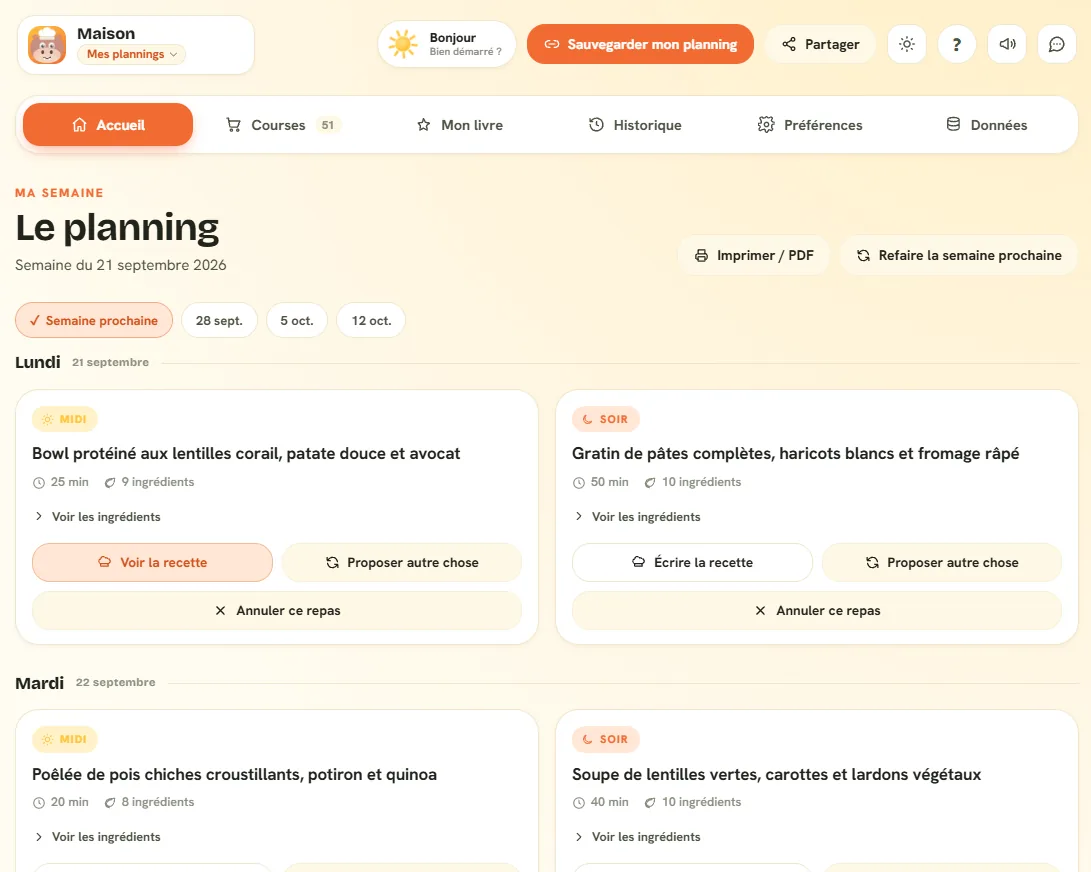
Real screenshots, taken in the app. The meals in them were generated for the demo: no user data shows up anywhere. They're in WebP, and the full archive has all of them.
On a computer
On a phone
What we ask
No contract, no form. Just common sense.
- Illustrate an article, a talk, a directory or a press review, without asking our permission.
- Crop the logo to fit a layout, as long as its proportions are kept.
- Reuse the summaries above as is, or shorten them.
- Distort the logo: it scales up, it doesn't stretch.
- Change its colors, or add an outline, a drop shadow or an effect.
- Use it to suggest a partnership, affiliation or endorsement that doesn't exist.
- Alter the mascot, or take it out of its role: it's Popotam's identity, not a royalty-free image.
Colors and typography
The values below are the ones from the site's stylesheet, not a brand guide put together for the occasion.
- Bricolage Grotesque
- Headings and the logo, weight 800
- Hanken Grotesk
- Body text, weight 400 to 700
- Caveat
- Handwritten notes, weight 600
All three fonts are free and available on Google Fonts, but using the logo doesn't require them: the PNG file already has the lettering drawn in.
The fact sheet
- Name
- Popotam
- Address
- popotam.fr
- Type
- Web app, Android app on Google Play, installable from the browser on iPhone and computer
- Online since
- June 11, 2026, first measured visit
- Publisher
- Jérémy Pierre (Youmax), Clermont-Ferrand, France
- SIRET
- 878 615 780 00029
- Business model
- Free, no subscription and no credit card.
- Hosting
- Scaleway, France
- Press contact
- pesto@popotam.fr
- General contact
- contact@youmax.fr
The legal notice and the privacy policy say the same thing, in more detail. For a factual description of the product, the What is Popotam? page is made to be quoted.
Write to Popotam
There's nobody between you and Jérémy.
No agency, no press office, no form that disappears into the void. Write to pesto@popotam.fr, or use the form below: both land in the same place.